
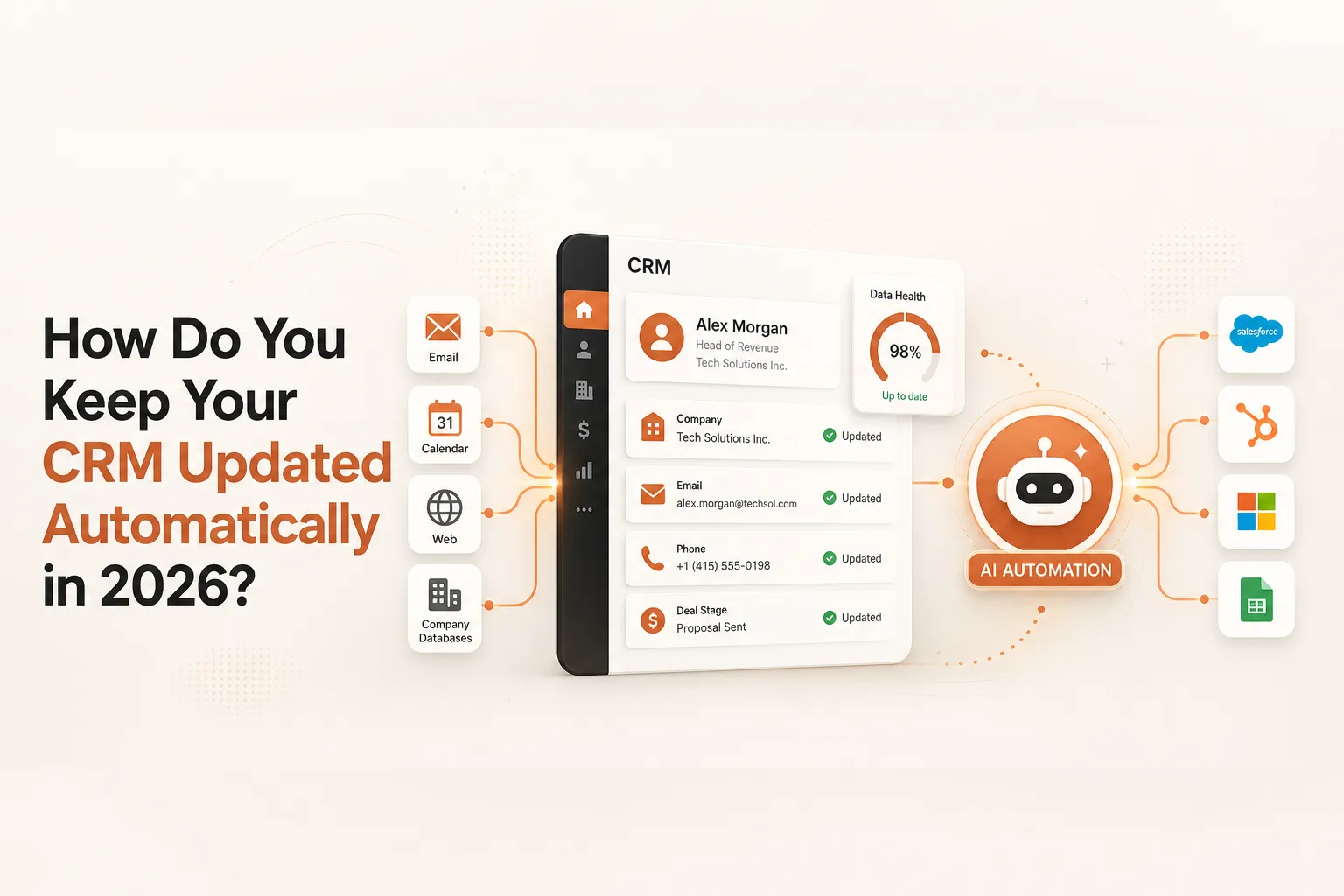
B2B contact data decays at 22 to 70 percent per year depending on your industry. That means a CRM you built 12 months ago could have wrong email addresses, outdated job titles, and stale company data for more than half your contacts. Most sales reps already know this. They stop trusting the CRM, start keeping their own notes, and the problem compounds. The fix is not manual hygiene sprints. It is automating the update process so the data stays fresh without anyone touching it.
Why Does CRM Data Go Stale So Quickly?
B2B email addresses decay at 3.6 percent per month. A database you built 12 months ago is probably 65 percent accurate today. After 24 months, you are below 50. People change jobs, emails get deactivated, companies get acquired. The data does not wait for your next hygiene sprint.
The financial cost is real. Gartner estimates the average organization loses $12.9 million per year due to poor data quality. Sales reps spend 5.5 hours per week dealing with bad data, which is a full workday producing zero pipeline per person. For a 20-person sales team, that is $640,000 in lost productivity every year.
The behavioral problem makes it worse. Salesforce's State of Sales research found only 2% of sellers trust the accuracy of their CRM data. Reps stop updating records because updates feel like a compliance task rather than a selling tool. The CRM becomes a graveyard of outdated contacts that leadership checks but no one believes.
Key Takeaway: The only way to break the bad-data cycle is to automate enrichment and updates at the source, not to remind reps to do it manually.
What HubSpot Features Keep Your CRM Updated Automatically?
HubSpot's native automation covers most CRM hygiene without a single third-party tool. Workflows fire property updates, deal stage changes, and task assignments automatically from rules you set. The Sales Chrome extension logs emails and meetings directly from Gmail or Outlook — your reps never touch the keyboard. Breeze Intelligence, rebuilt in 2025, enriches records at creation and refreshes them monthly.
HubSpot's Breeze Intelligence, rebuilt in 2025, adds native enrichment. It auto-enriches records at creation and refreshes them monthly with job title, seniority, LinkedIn URL, annual revenue, employee count, industry, and web technologies. For most small and mid-market teams, Breeze Intelligence covers the baseline without needing an external tool.
The gaps are real. Breeze Intelligence refreshes monthly, not in real time. It does not provide direct-dial phone numbers. It does not flag job changes between refresh cycles, which means a contact who leaves for a competitor mid-month stays in your CRM as an active prospect until the next batch runs.
For teams where those gaps matter, the answer is a third-party enrichment layer on top of HubSpot's native features.
Key Takeaway: HubSpot's native automation eliminates most manual data entry, but monthly enrichment cycles mean you still need a real-time layer for high-velocity outbound.
How Do You Enrich and Refresh CRM Data with Third-Party Tools?
Clay is the strongest enrichment layer available for HubSpot. It queries 75+ data providers in waterfall sequence, achieves up to 95 percent coverage on key fields, and writes results back to HubSpot automatically. A new contact enters your CRM. Within minutes: email verified, LinkedIn appended, funding status pulled, job changes flagged — before your first outreach email goes out.
Apollo integrates natively with HubSpot and provides bi-directional sync. It works well for teams that use Apollo as their primary database and want their HubSpot records kept in sync automatically. Apollo's strength is contact volume and filtering depth. Its enrichment depth does not match Clay, but for teams already on Apollo, the native integration is a practical starting point.
We set this up for a B2B SaaS client running outbound to 3,000 contacts a month. Before: reps spent 20 to 30 minutes verifying each record manually before outreach. After: every new contact was fully enriched within 90 seconds of entering HubSpot. CRM accuracy went from roughly 60 percent to above 90 percent in the first 60 days.
The right setup for most HubSpot users: Breeze Intelligence as the always-on baseline, Clay as the enrichment layer for active outbound contacts, and n8n or Make as the middleware that triggers enrichment workflows when new records enter specific pipelines. See the full comparison of GTM automation tools to understand where each fits.
How Do n8n and Make Connect Enrichment to HubSpot?
n8n offers 31 HubSpot actions and 18 triggers, making it straightforward to build a workflow that fires when a new contact is created in HubSpot, sends that contact to Clay for enrichment, waits for the enriched data to return, and writes the updated fields back to HubSpot. The whole workflow runs in the background without anyone touching it.
Make handles the same process with a more visual interface. Both are significantly cheaper than building a custom integration, and both handle error states cleanly so records do not fall through the cracks if an enrichment provider is temporarily unavailable.
Key Takeaway: Combining HubSpot's native workflows with Clay enrichment and n8n or Make for orchestration gives you a real-time data pipeline that keeps every record current.
How Do AI Agents Automate CRM Hygiene?
AI agents do what enrichment tools cannot: they monitor your CRM around the clock and act when they spot a problem. Batch enrichment catches what was wrong when you ran it. An agent catches what breaks between runs — job changes, stale deals, missed signals. Zams, one of the early agentic CRM platforms, reported 20+ hours saved per rep per week once agents replaced manual hygiene. The difference compounds over months of active pipeline.
A Claude Agent SDK workflow for CRM hygiene might do the following: every morning, it pulls a list of deals that have not had activity in 10 days, checks each company's LinkedIn for recent news or leadership changes, flags any deals where the primary contact has changed jobs, and creates a task in HubSpot for the assigned rep with a one-line summary of what changed. The rep starts their day with a prioritized list of accounts that need attention, instead of a stale pipeline they stopped trusting.
The same agent can scan email threads to extract action items, next steps, and deal stage signals, then update CRM fields automatically based on what it reads. A rep finishes a call, the meeting notes land in the CRM, and the deal stage updates without the rep touching the keyboard.
For context on how this fits into a broader outbound system, see our guide on top GTM strategies for SaaS businesses.
Key Takeaway: AI agents do not just update CRM data. They monitor for changes, surface signals, and create tasks — turning a passive data store into an active selling tool.
What Are the Best Practices for CRM Data Governance?
Four practices decide whether your CRM stays clean: a named owner for data quality, enrichment built into your new-lead workflow at entry, dropdown fields instead of free text wherever possible, and a deduplication pass at least once per quarter. Most CRM hygiene failures are not tool failures. They are ownership failures.
Assign a specific owner for CRM data quality. This is typically a RevOps or Sales Ops person, not a sales rep. Their job is to set enrichment rules, run quarterly audits, and flag records that fall below quality thresholds. Without a named owner, hygiene tasks fall into the gap between sales and ops and stay there.
Use picklists and dropdown fields instead of free-text wherever possible. Free-text fields produce 14 variations of "Software as a Service" by the end of a quarter. Picklists produce one. Validation at entry prevents bad data from getting in, which is cheaper than cleaning it up later.
Run a deduplication pass at least once per quarter. HubSpot's 2025 AI-assisted deduplication tools make this straightforward. Duplicate records erode rep confidence faster than stale data. When a rep calls the same company twice from different records, they stop believing the CRM represents reality.
Build enrichment into your new lead workflow, not as an afterthought. Every contact that enters your CRM should go through an enrichment step before it reaches a rep. A fully enriched record entering the pipeline is worth five times a blank one.
Key Takeaway: CRM hygiene is not a one-time project. It is a standing workflow with a named owner, automated enrichment at entry, and quarterly audits.
Frequently Asked Questions
How fast does CRM data decay?
B2B email addresses decay at about 3.6% per month, meaning a database that was fully accurate at the start of the year is roughly 65% accurate by December. Job title and company data decays at around 2.1% per month. Industries with high employee turnover, like tech and retail, see faster decay than industries like legal or government.
Does HubSpot automatically update contact records?
HubSpot's Breeze Intelligence enriches contact and company records automatically at creation and refreshes them monthly. It updates fields like job title, LinkedIn URL, company revenue, and industry. It does not provide real-time job change alerts or direct-dial phone numbers. For real-time updates, you need a third-party enrichment layer like Clay.
How does Clay integrate with HubSpot?
Clay connects to HubSpot as a native integration. You can configure Clay to trigger an enrichment workflow when a new contact enters HubSpot, enrich the record using 75+ data providers through waterfall enrichment, and write the enriched fields back to HubSpot automatically. The integration handles field mapping so enriched data lands in the correct HubSpot properties without manual configuration.
What is the ROI of fixing CRM data quality?
Gartner estimates poor data quality costs organizations $12.9 million per year on average. Sales reps waste 5.5 hours per week on bad data. A 20-person sales team loses roughly $640,000 per year in productivity from that waste alone. Clean, enriched CRM data has been shown to increase pipeline conversion rates by 15 to 25% in teams where data quality was the bottleneck.
Can AI agents replace manual CRM updates entirely?
For most update tasks, yes. AI agents built on tools like the Claude Agent SDK can extract deal stage changes from email threads, flag job changes on active contacts, create follow-up tasks based on meeting notes, and update field values based on conversation context. The tasks that still require a human are judgment calls: deciding whether a stalled deal is worth pursuing, or assessing whether a job change at a target account represents an opportunity.
Sources
- How to Stop Data Quality Undermining Your Business, Gartner
- State of Sales, 6th Edition, Salesforce Research
- Struggling With B2B Data Quality? Let Me Guess, Forrester
- Database Decay Simulation, HubSpot Research
- Global Data Management Research 2022, Experian Data Quality